
Use the following steps to cancel an online bank account, debit, or credit card payment for all accounts.
-
Log in to the RLPay application. The Account Summary page appears.
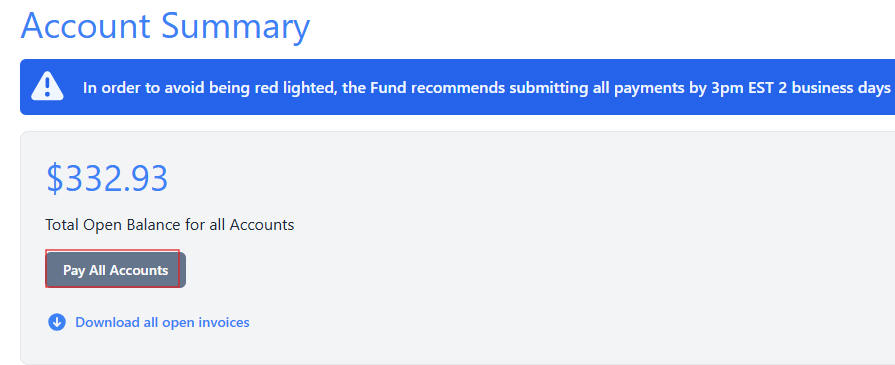
Account Summary
-
Select Pay All Accounts. The Choose Payment Amounts page appears.
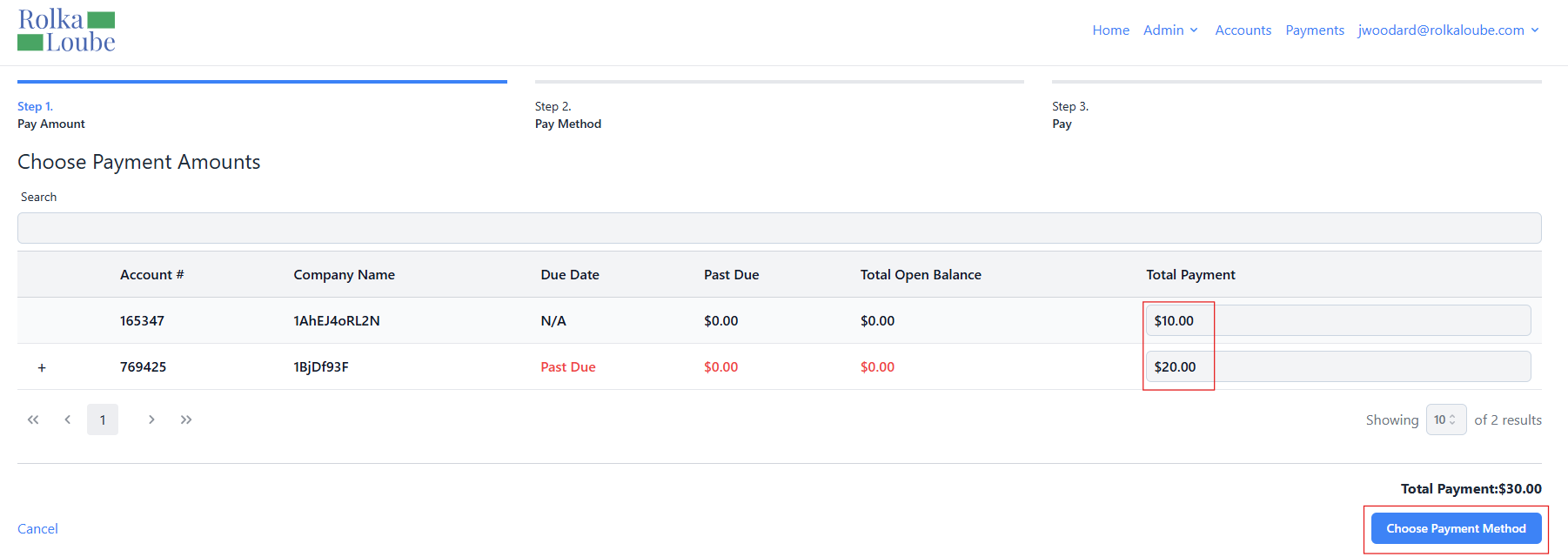
Choose Payment Amounts -
Enter the amount you want to pay for each account in the Total Payment field.
Note: The payment amount must be greater than zero in order to choose the payment method. -
Select Choose Payment Method.
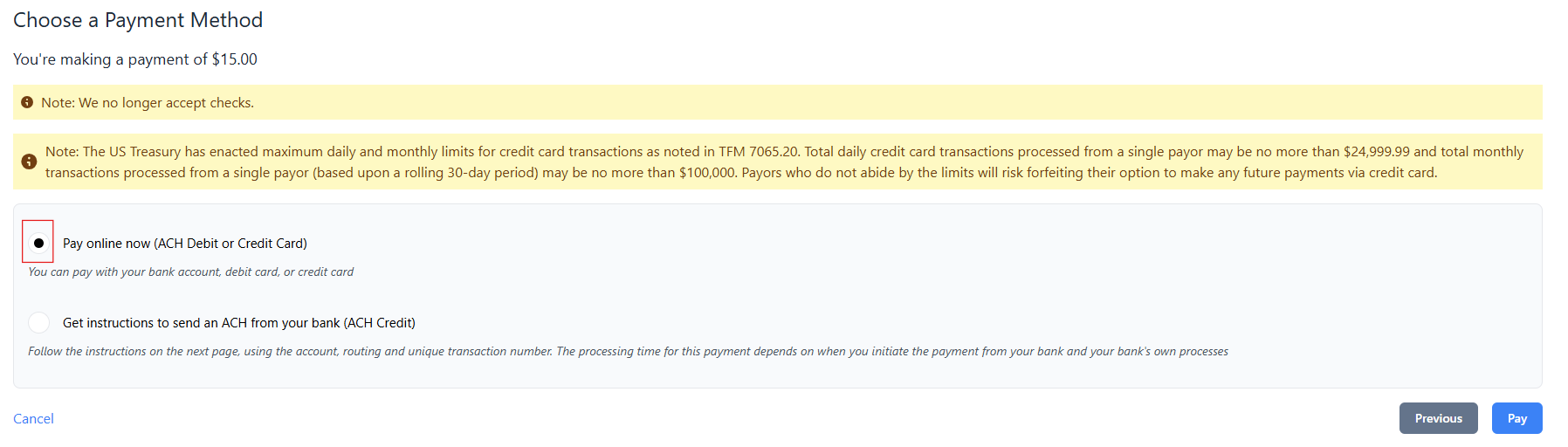
Choose A Payment Method
-
Select the circle next to Pay online now (ACH Credit or Debit).
-
Select Pay. The Redirect Notice pop-up window appears.
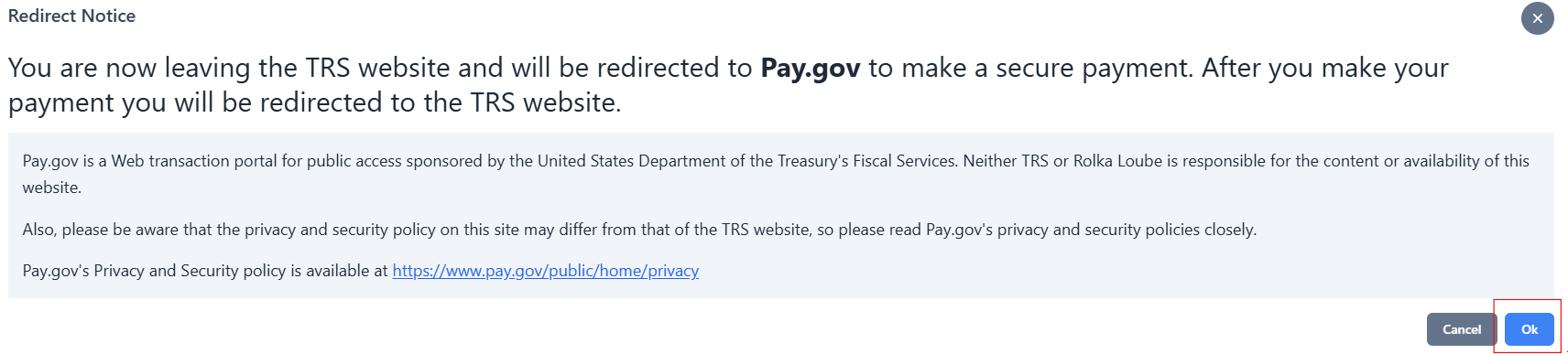
Redirect Notice -
Select Ok. The user is redirected to Pay.gov.
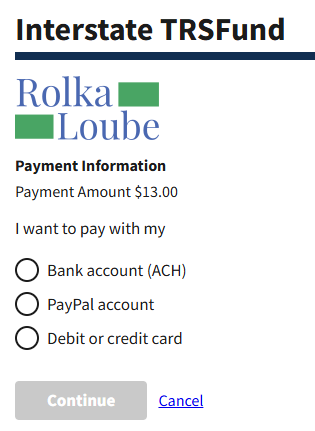
-
Select a payment option.
Note: PayPal is not a currently supported payment option. -
Select Cancel. The payment is canceled and a cancelation confirmation appears.
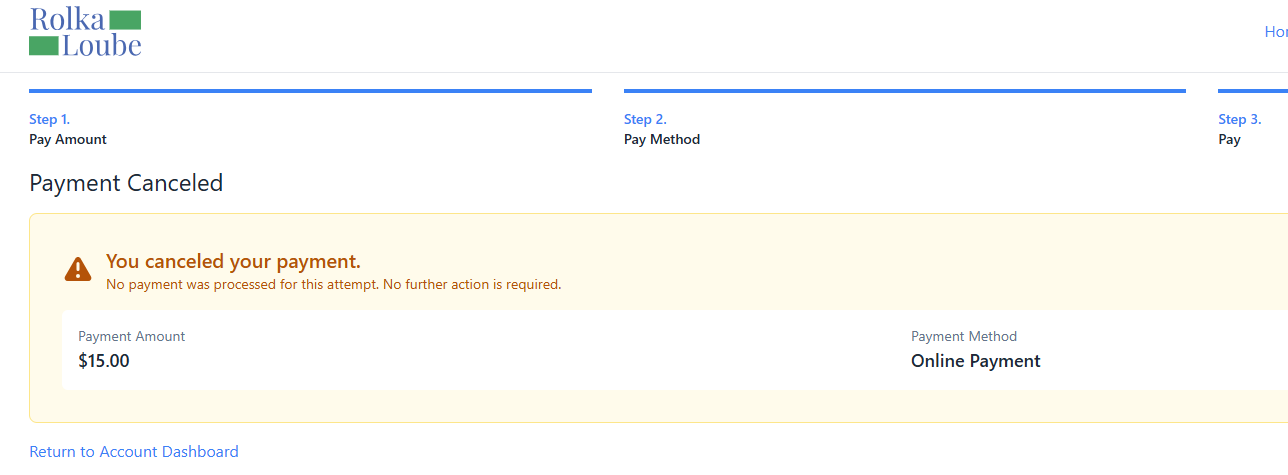
Payment Canceled