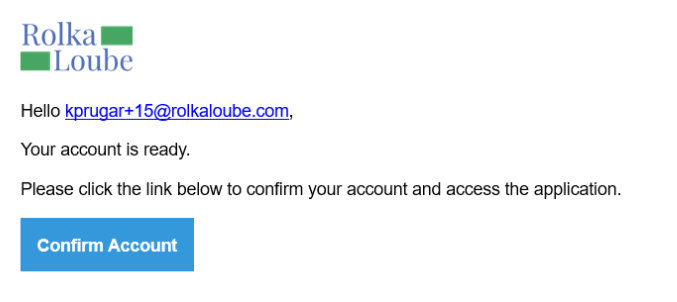
Inviting a user allows an existing user to be added to an account or allows a new user to create a profile and interact with the RLPay system. A new user must be linked to an RLPay account to receive an invite. Use the following steps to invite a user.
-
Log in to the RLPay application. The Account Summary page appears.
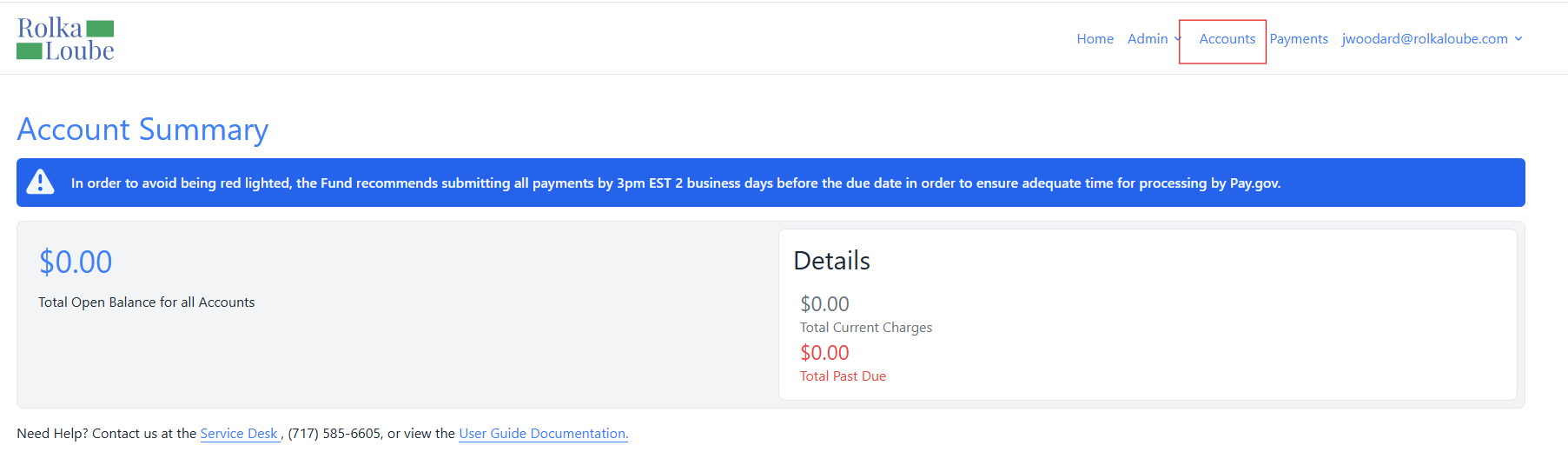
Account Summary -
Select Accounts at the top of the page. The Accounts page appears.
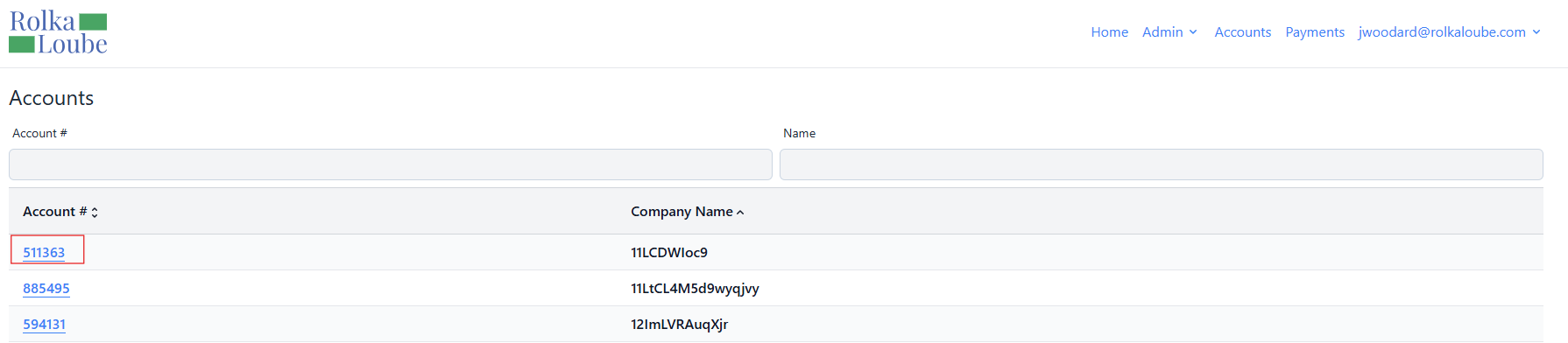
Accounts -
Select the account to which you want to invite the user. The Account page appears.
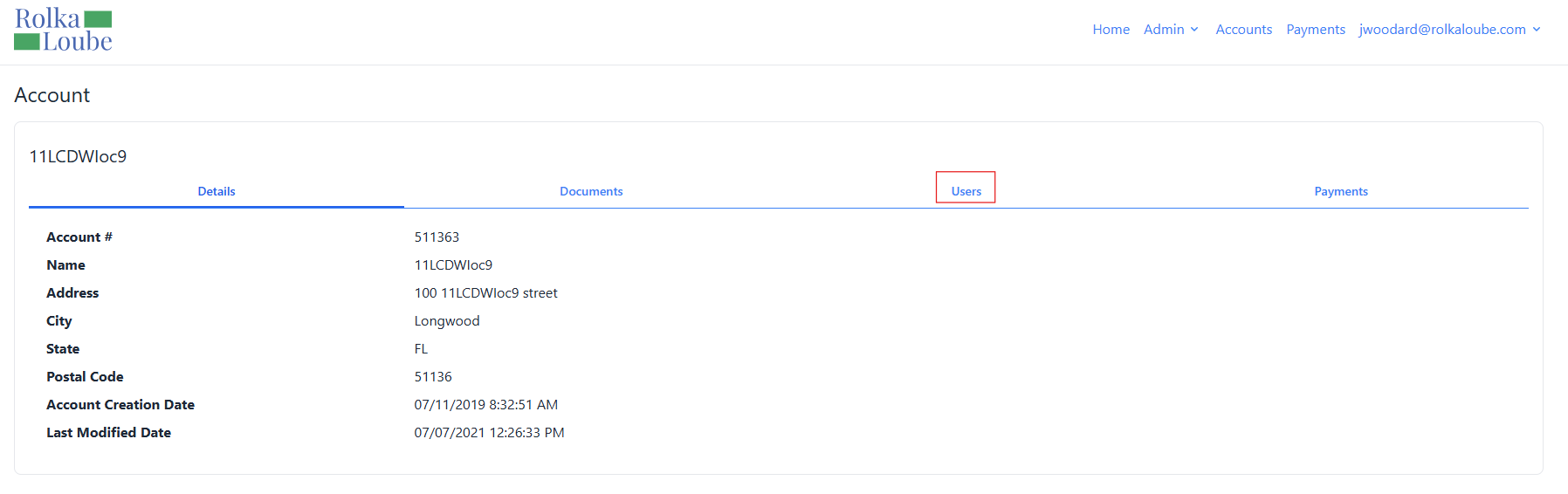
Account -
Select Users.
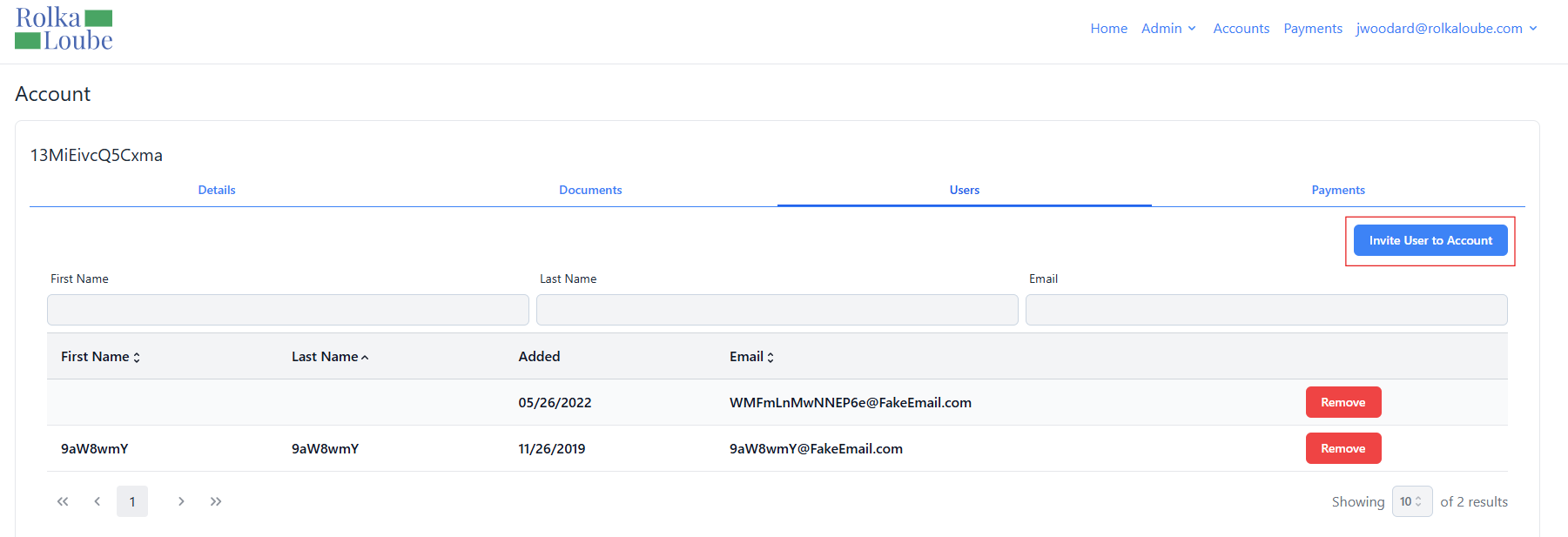
Account
-
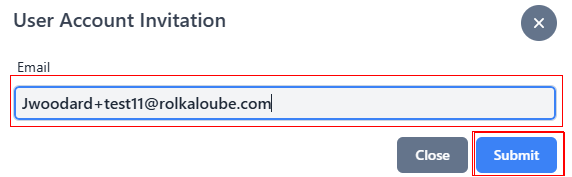
Select Invite User to Account. The User Account Invitation pop-up window appears.
-
Enter the user’s email address in the Email field.
-
Select Submit. The message Invite Sent Successfully appears in green. If the account invitation is for a new user, the user receives an email with a button to confirm their account. If the account invitation is for an existing user, the user is added to the selected account.