
Downloading an account invoice allows you to download a PDF invoice from an account onto your computer. Use the following steps to download an account invoice.
-
Log in to the RLPay application. The Account Summary page appears.
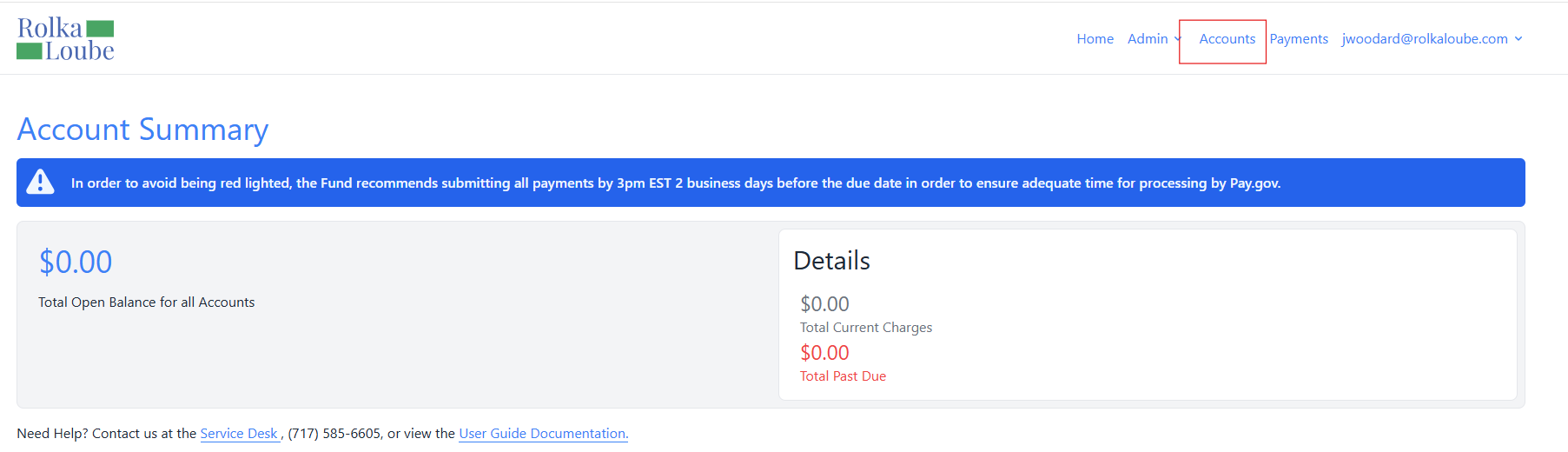
Account Summary -
Select Accounts at the top of the page. The Accounts page appears.
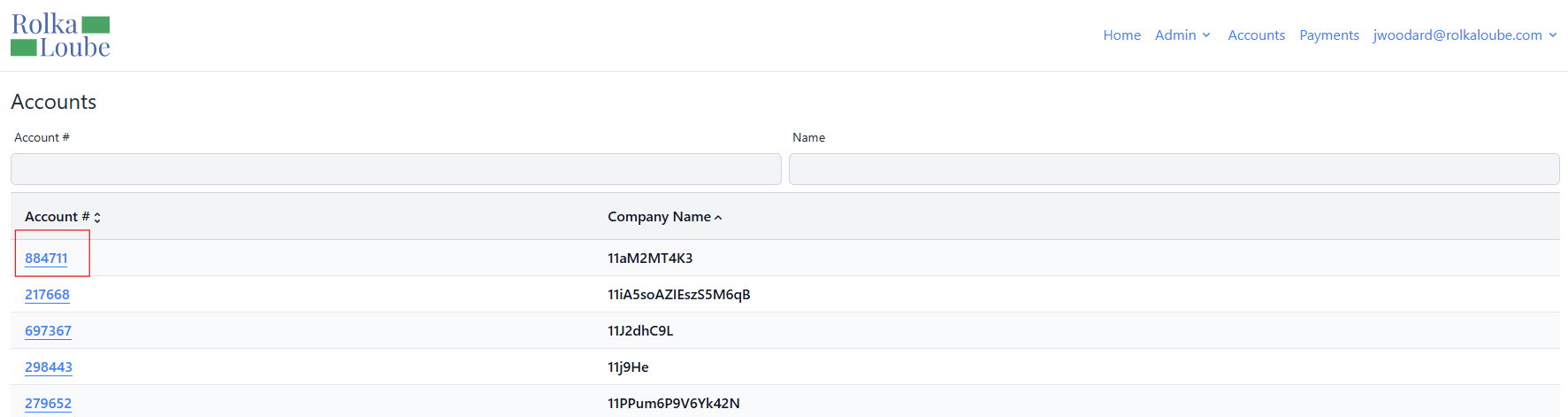
Accounts -
Select the account for which you want to download the invoice. The Account page appears.
Note: The account you select must have attached documents.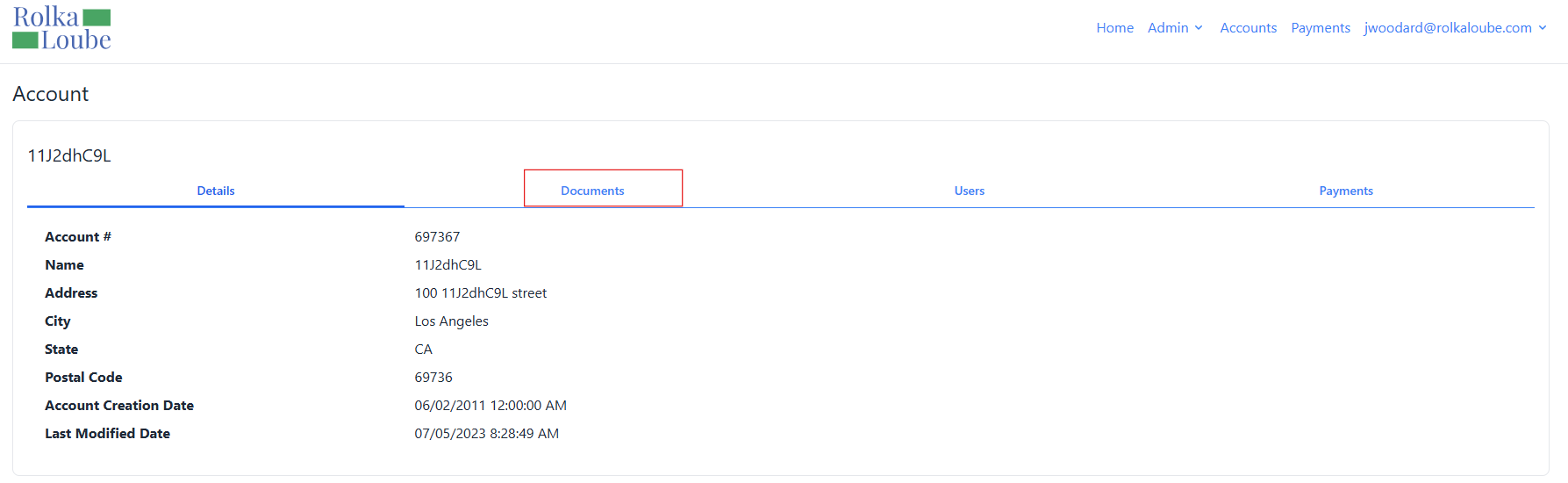
Account -
Select Documents.
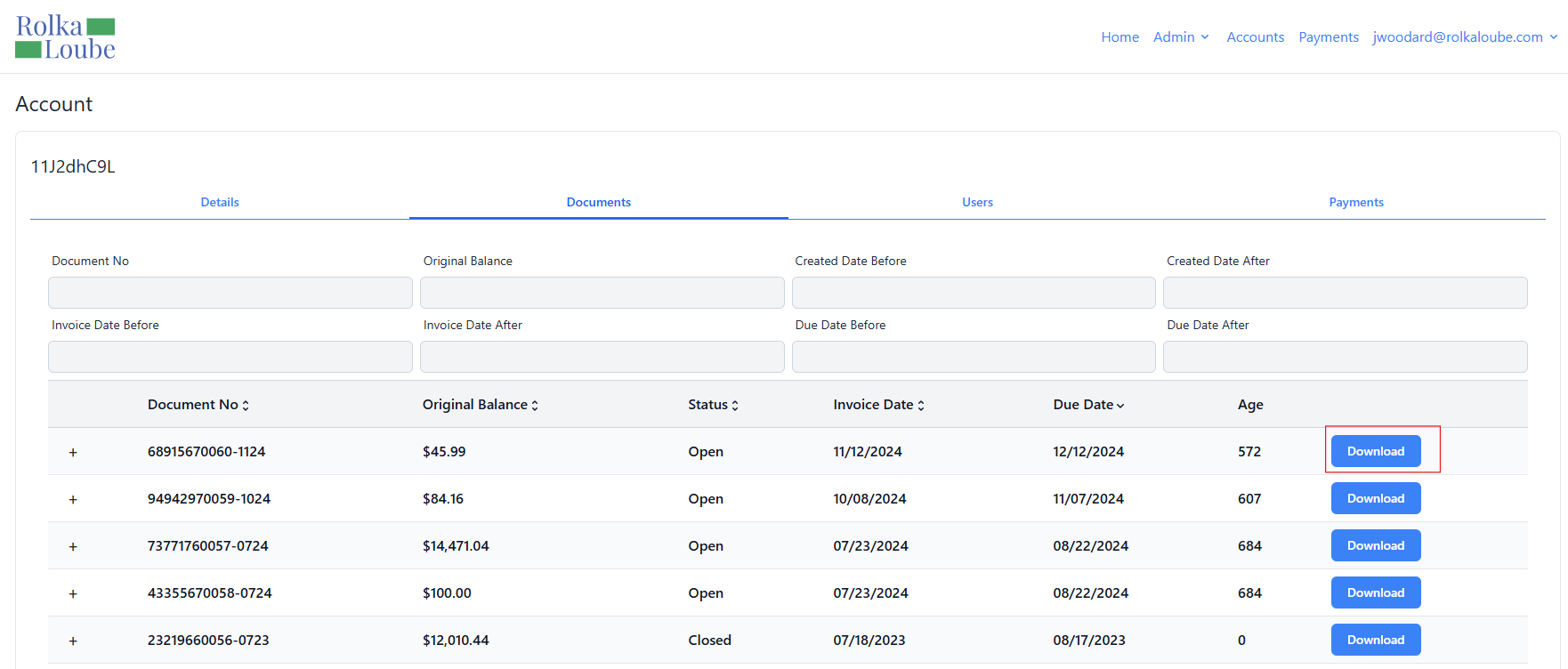
Account -
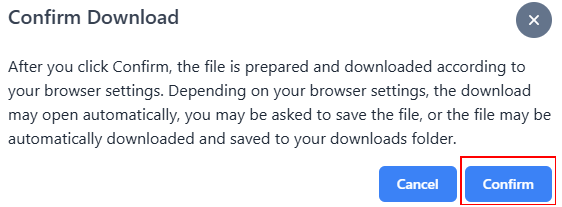
Select Download next to the document you want to download. The Confirm Download pop-up window appears.
-
Select Confirm. After a short wait, the file will be downloaded to your computer. Please refrain from navigating away from the page to ensure downloading is complete.