
The purpose of this document is to provide a detailed overview of Rolka Loube’s Billing and Collections Portal, RLPay. Through the portal, users can access invoices, review notifications, make payments, and view account status and payment history.
To access RLPay, users receive a login email containing registration instructions and a secure registration link. New users, or existing users who have not received a login email, should contact our Customer Support Team at our Service Desk https://rolkaloube.atlassian.net/servicedesk/customer/portal/36.
Activate Account
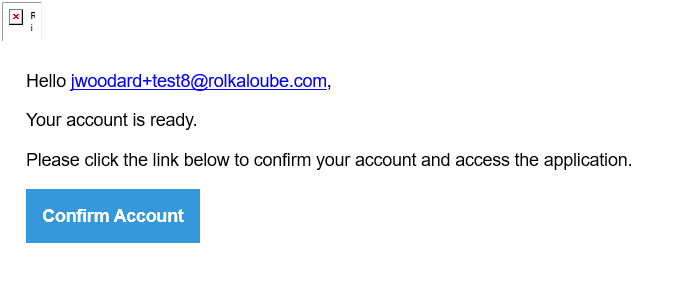
When requesting an account for RLPay, you will receive an email from Rolka Loube with activation information. Use the following steps to activate a new account.
-
Open your email.
-
Select the email from collections@noreply.rolkaloube.com.
Note: If you don't receive the email, ask your organization's IT administrator to whitelist collections@noreply.rolkaloube.com, check your Spam folder, or submit a ticket at https://rolkaloube.atlassian.net/servicedesk/customer/portal/36
-
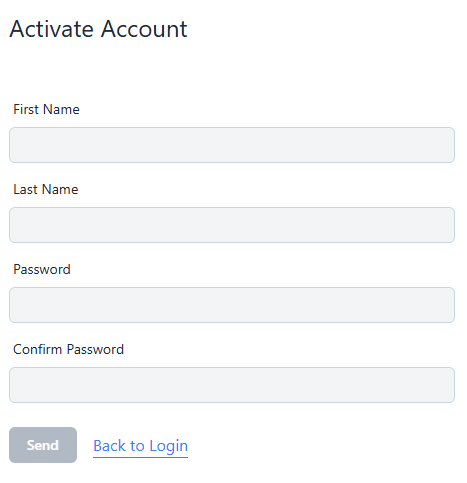
Select the Confirm Account button in the email. The Activate Account page appears.
-
Enter your first and last name.
-
Enter a password in the Password and Confirm Password fields that meets the following requirements.
-
Must be at least 8 characters long
-
Must contain at least one uppercase and one lowercase character
-
Must contain one number and one non-alphanumeric character
-
Cannot be one of the last 4 previously used passwords
-
-
Select Send. You will be redirected to the Login page.